
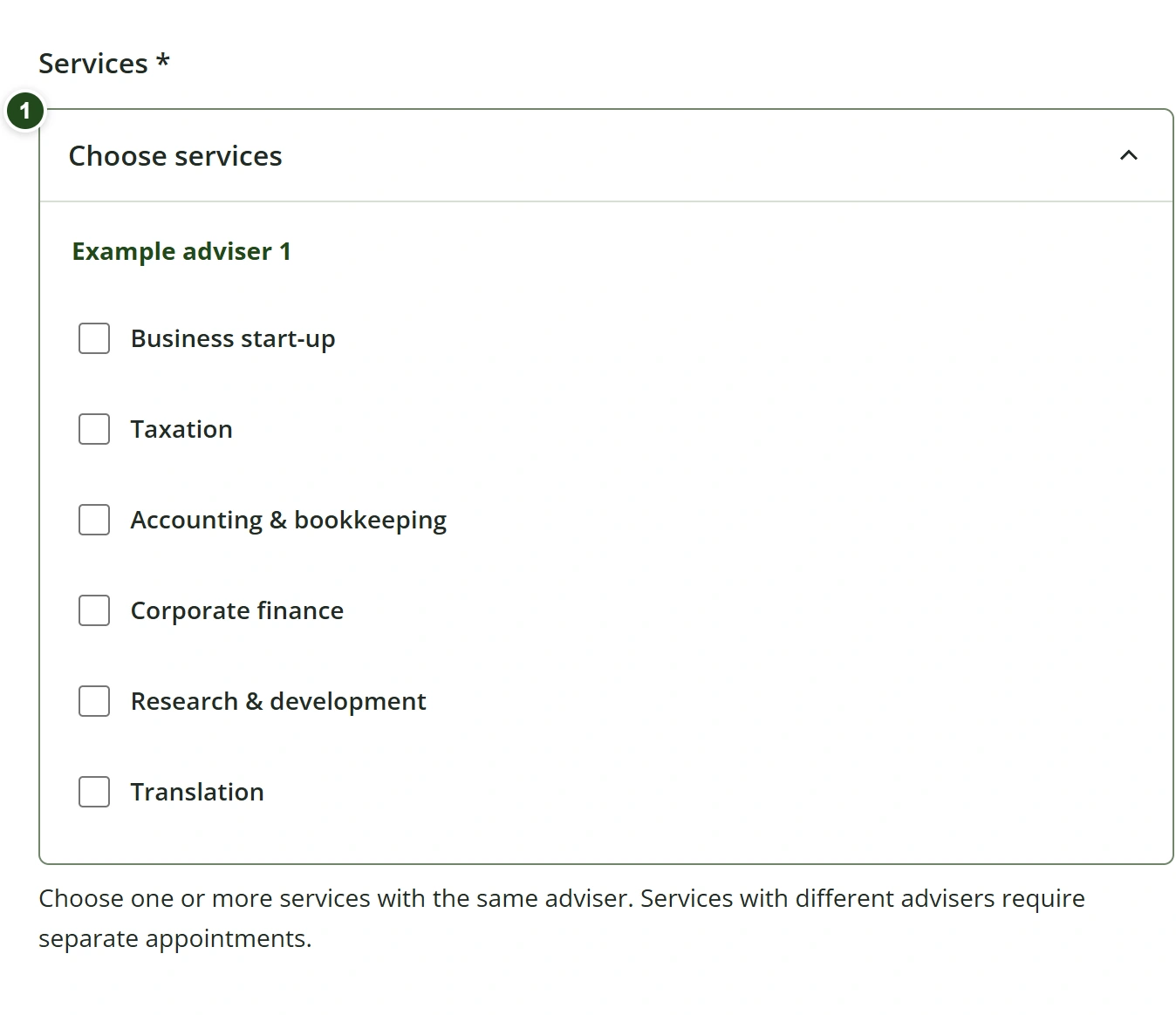
Choose services
- Open Choose services and select one or more services under the same adviser.
- To switch advisers, use Clear selection, then choose the other adviser’s service. Services from different advisers require separate appointment requests.
 Enlarge
Your selections stay together in one appointment; selecting more services does not change its duration.
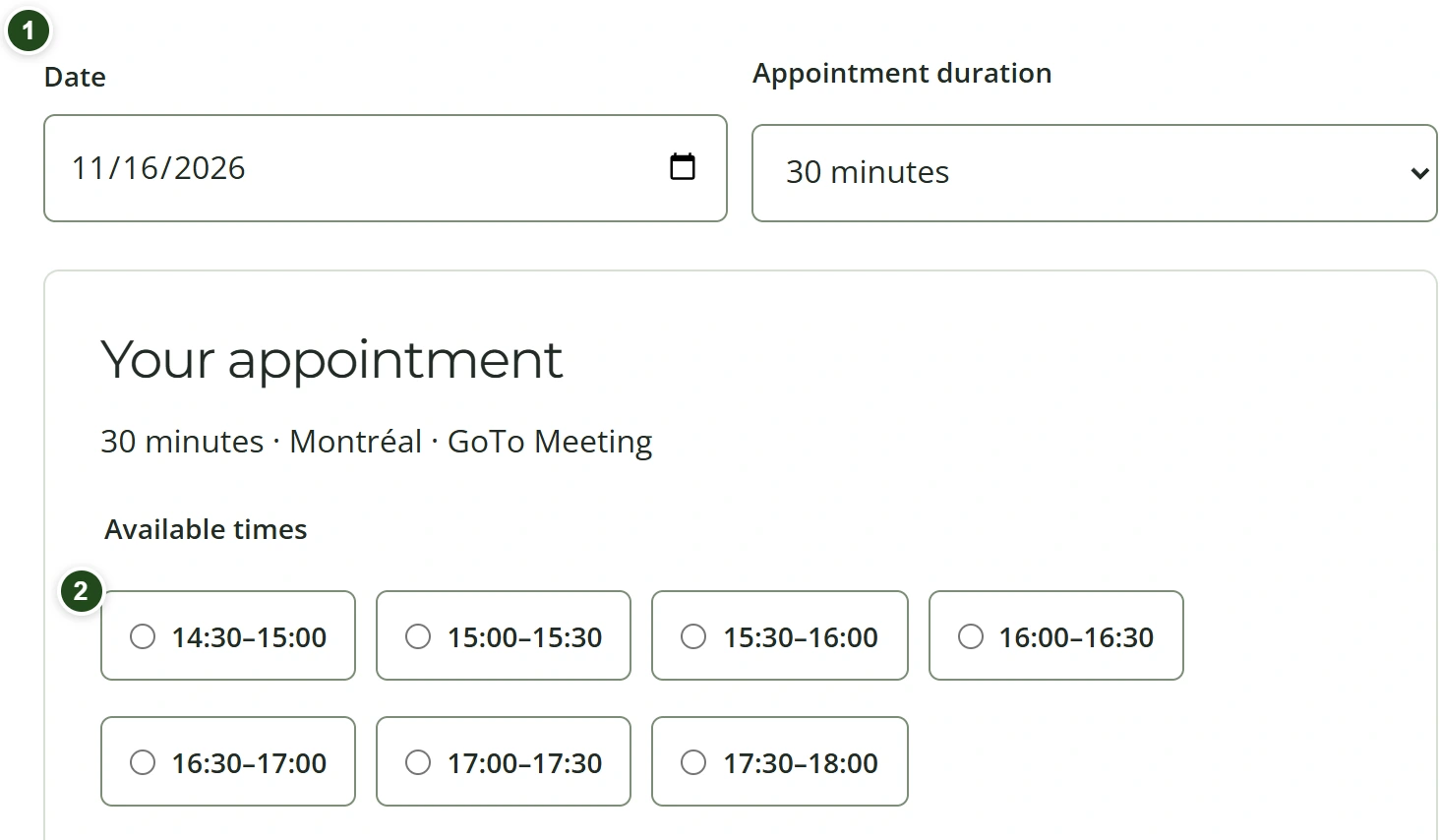
Choose a date and duration
- Choose an available appointment duration and a date.
- Wait for the available times to update, then select a time. All times are shown in Montréal time.
- If you change the date or duration, select a new time before continuing.
 Enlarge
The review screen shows the selected start and end times.
Need a hand?
If no times appear, try another date or duration. Use Try again if loading fails.
Enter details and send the request
- Enter your First name, Last name, Email address and Telephone number. When signed in, your saved details are already filled in.
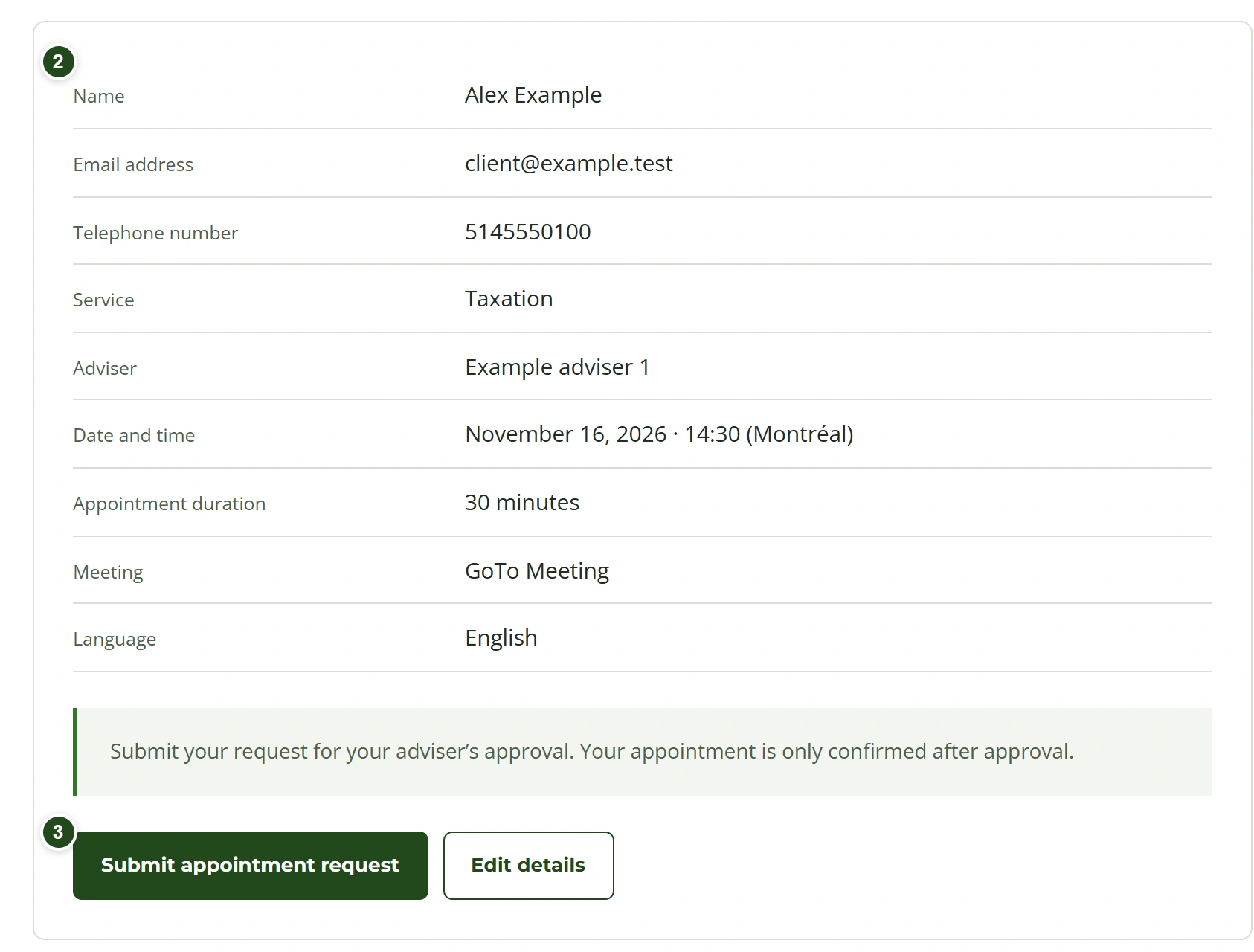
- Select Review appointment. Check the services, adviser, time and contact details; use Edit details to correct them.
- Select Submit appointment request once and wait for confirmation that the request was received.
 Enlarge
The appointment awaits approval. A guest account is created only after submission; email verification is still required to access it.
Need a hand?
A booking does not sign you in or give access to other appointments. Contact the firm to correct locked profile details.